FAQ
Quelle est la différence entre Adlice Diag et Adlice Protect ?
– Adlice Protect est un anti-malware, au sens classique du terme. Il offre une protection en temps réel (pour les machines enregistrées, pas en version portable) et n’affiche que les éléments malveillants lors d’un scan. Si rien de malveillant n’est détecté sur la machine, le rapport revient vierge.
– Diag est un outil de diagnostic doté d’un moteur anti-malware. Il utilise le même moteur de scan que Protect, mais ne dispose d’aucune protection en temps réel (même pour les machines enregistrées).
Lors d’un scan, son comportement diffère également : il affiche tout ce que le scan a rencontré (sauf pour les analyses du système de fichiers, ce qui serait trop volumineux – et inutile – d’afficher tous les fichiers/dossiers). Par exemple, lors de l’analyse des entrées de démarrage, il affichera non seulement les éléments malveillants, mais aussi ceux jugés suspects ou sûrs, avec des codes couleur et le nom de la menace.
Pourquoi ? Parce que si notre moteur commet une erreur (ce qui peut arriver, comme chez tout éditeur), l’utilisateur peut tout de même supprimer l’élément concerné. Cela aide aussi les utilisateurs IT à améliorer les performances, à repérer des logiciels « limites » ou indésirables, considérés comme sûrs, et à les supprimer. Diag propose également des outils utiles pour surveiller les performances, lister les processus/services en cours, les entrées de démarrage automatique, et bien plus.
Table of Contents
- I have renewed my license, but nothing changed
- I have purchased a new license instead of renewing, what should I do ?
- When I put my license, it says “No activations left”
- After renewing I am still receiving expired license email notices
- How do I recover my shop account password ?
I have renewed my license, but nothing changed
-
Maybe you purchased another license instead of renewing. You will need to remove the old one first, please see below.
-
If the expiration date didn’t change in the software, please try to the “Refresh” button (in “Account” tab).
I have purchased a new license instead of renewing, what should I do ?
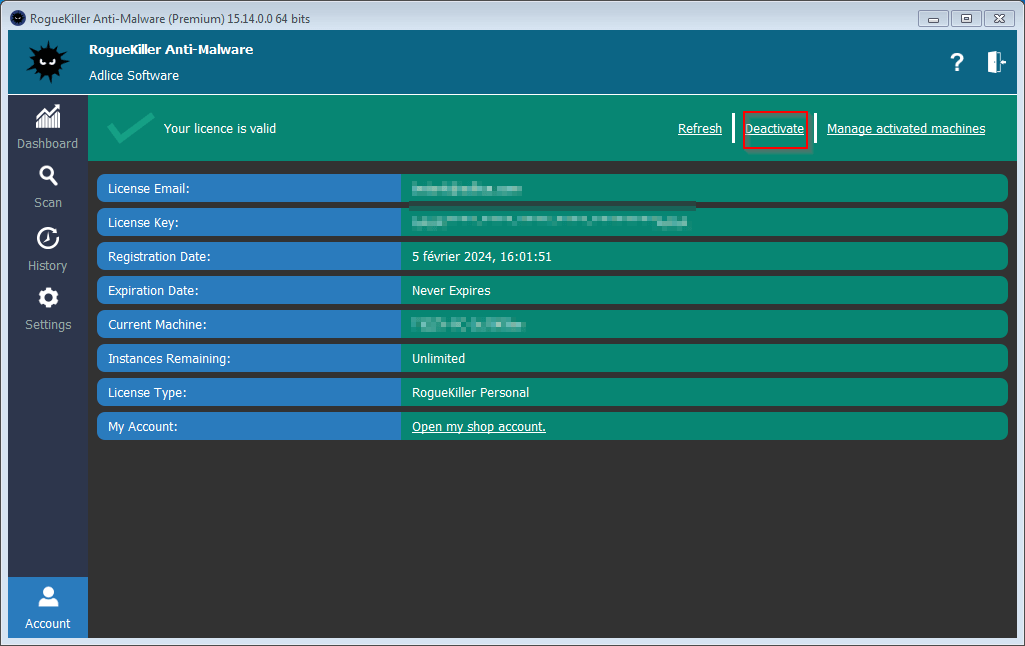
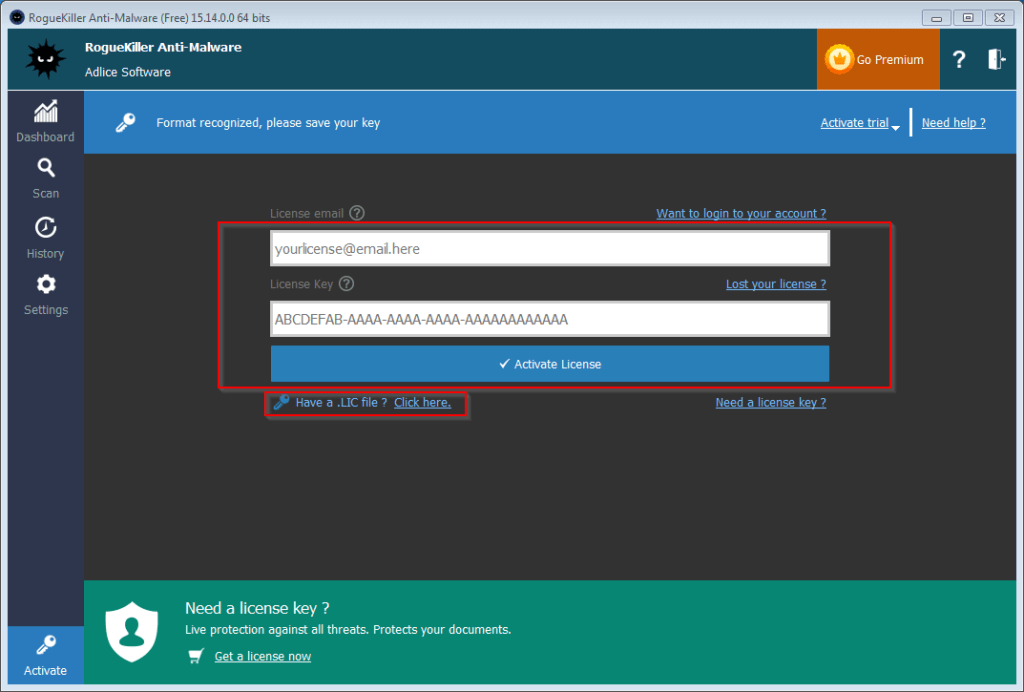
No worries. You just need to remove the old license first (“Account” tab, “Deactivate” button), then apply the new one.
When I put my license, it says “No activations left”
This happens when you have reached the maximum number of machines allowed for your license.
No worries, you just need to remove the license for some of your machines:
-
– If you have access to the machine you want to unregister, just go to “Account” tab and click “Deactivate” (see above). This can also be done by uninstalling (completely) the software.
-
– If you don’t have access to it, or don’t remember what machine is eating some activations, you can do the following:
1 – On a registered machine, click on “Account” tab, then “Manage Activations”. Here you can remove activations no longer used
2 – On your shop account, click “License Keys” tab. Here you can remove activations no longer used.
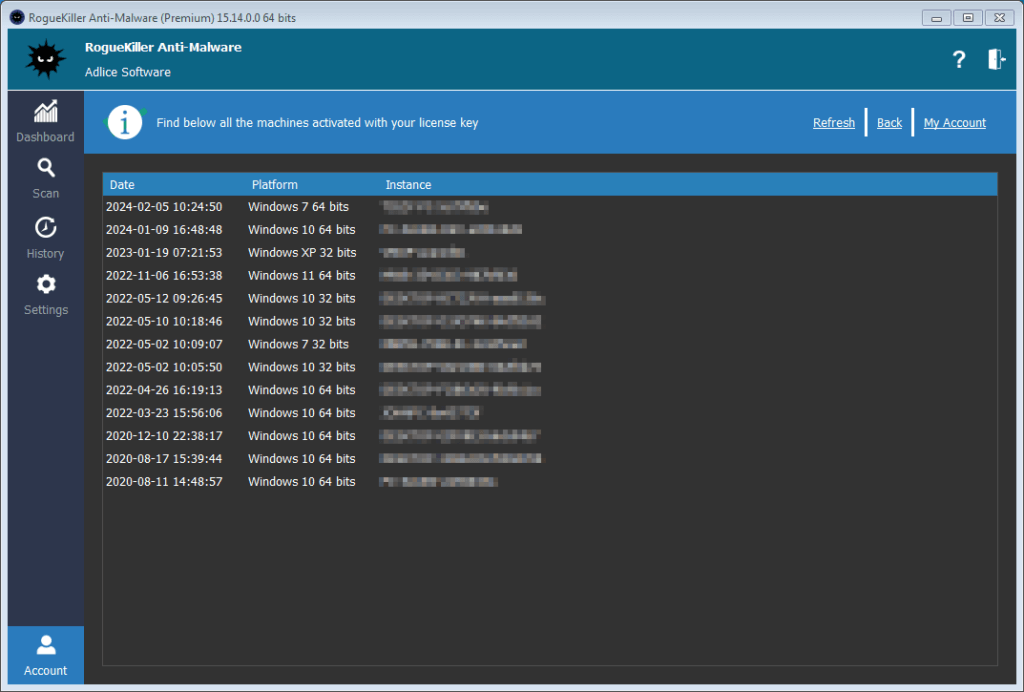
If you reinstall machines, it’s advised to first uninstall the license (or the software completely) to avoid eating up an activation.
After renewing I am still receiving expired license email notices
This happens if you buy a new key instead of renewing. The licensing system doesn’t know your intent and thinks you need a new license for other purpose, so it will still send expiration notices. Just** ignore them**, you should not get more than 3 email notices (30 days before, 10 days before and on first day of expiration).
How do I recover my shop account password ?
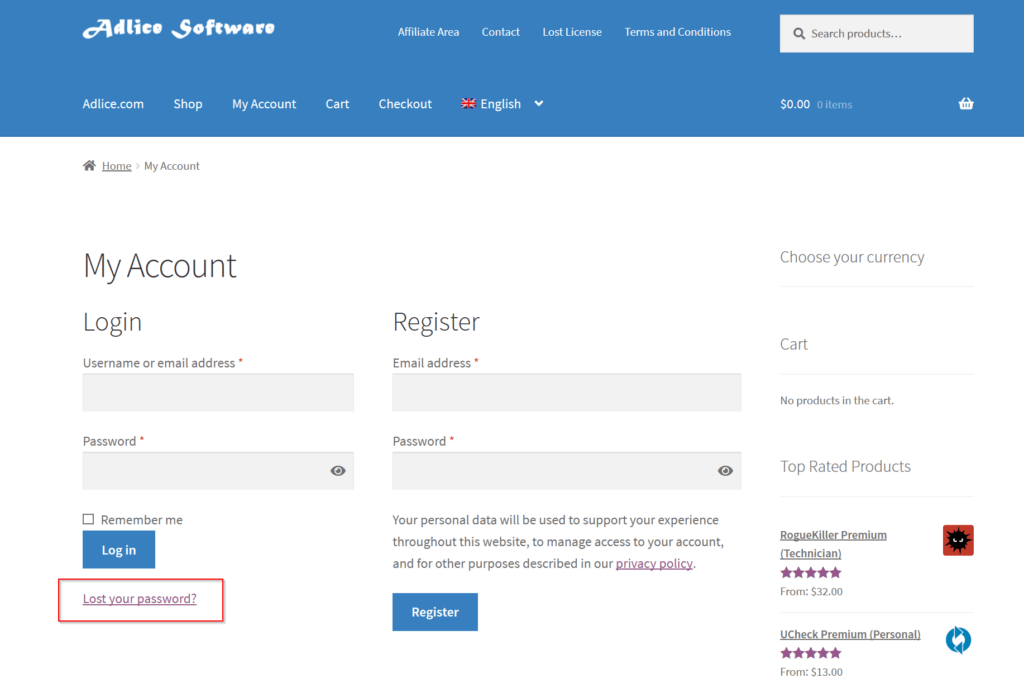
First go to the My Account page. Then click on “Lost your password?”.
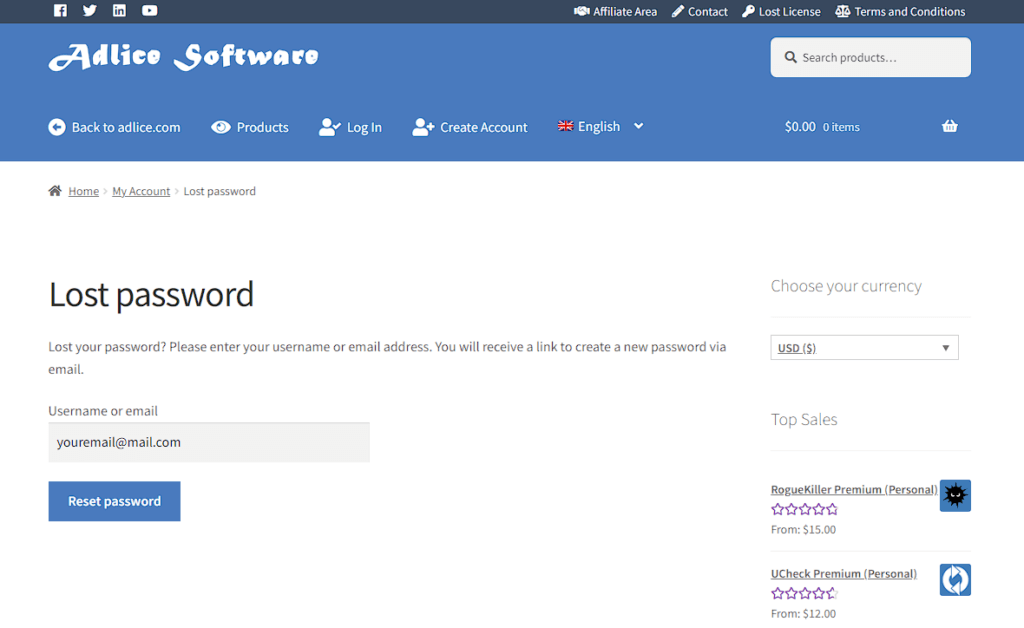
From here, type your username or email address used for account creation and click “Reset Password”.
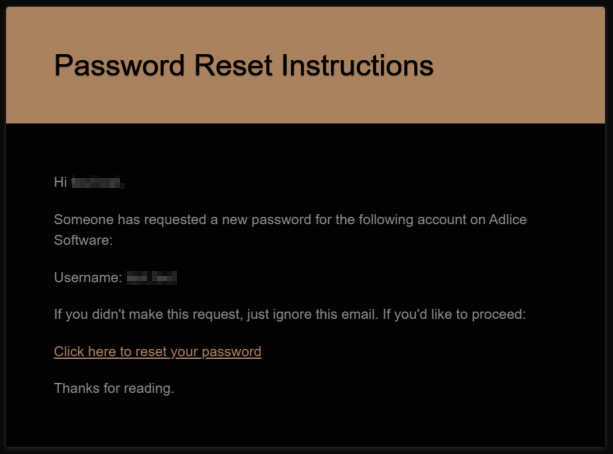
You should have received instructions by email, please check SPAM folder if necessary. Click on the link inside the email.
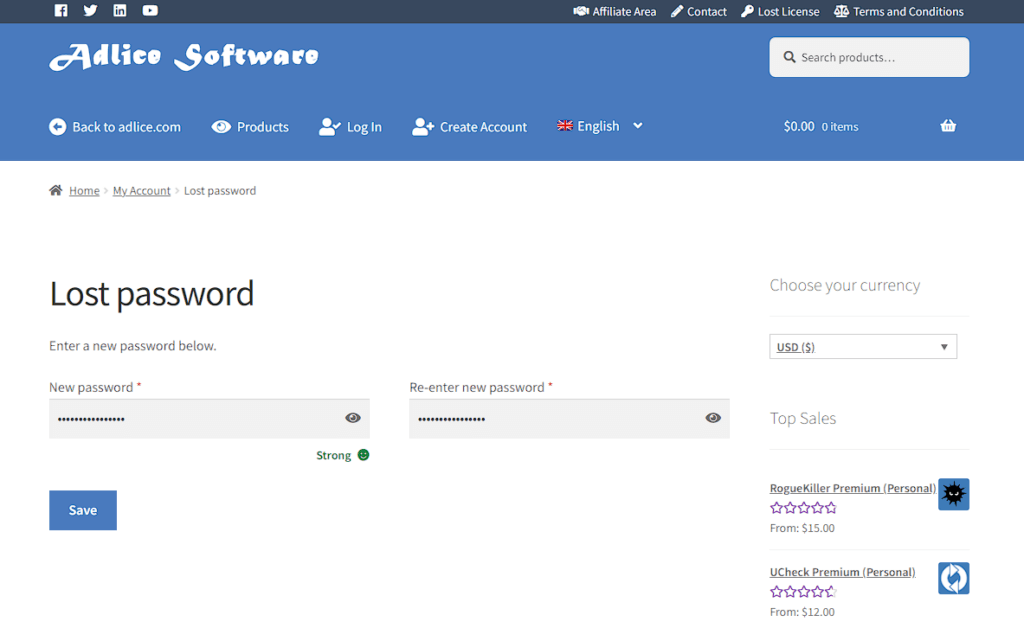
On the new page, you will be prompted for a new password. Be creative, don’t reuse same passwords. Then click “Save”. Your new password should now be set, you can now login on the My Account page.