
Choose your plan
Free
- Scan & Remove Malware
- Antirootkit Scan
- Personal Use Only
- Forum support
Premium
- Scan & Remove Malware
- Antirootkit Scan
- Enterprise Use Allowed
- Helper Tools
- Email support
Technician
- All Premium Features
- Portable Config & License
- Unlimited machines
- Email support
Features
Everything you need, nothing you don't
Full Diagnostic
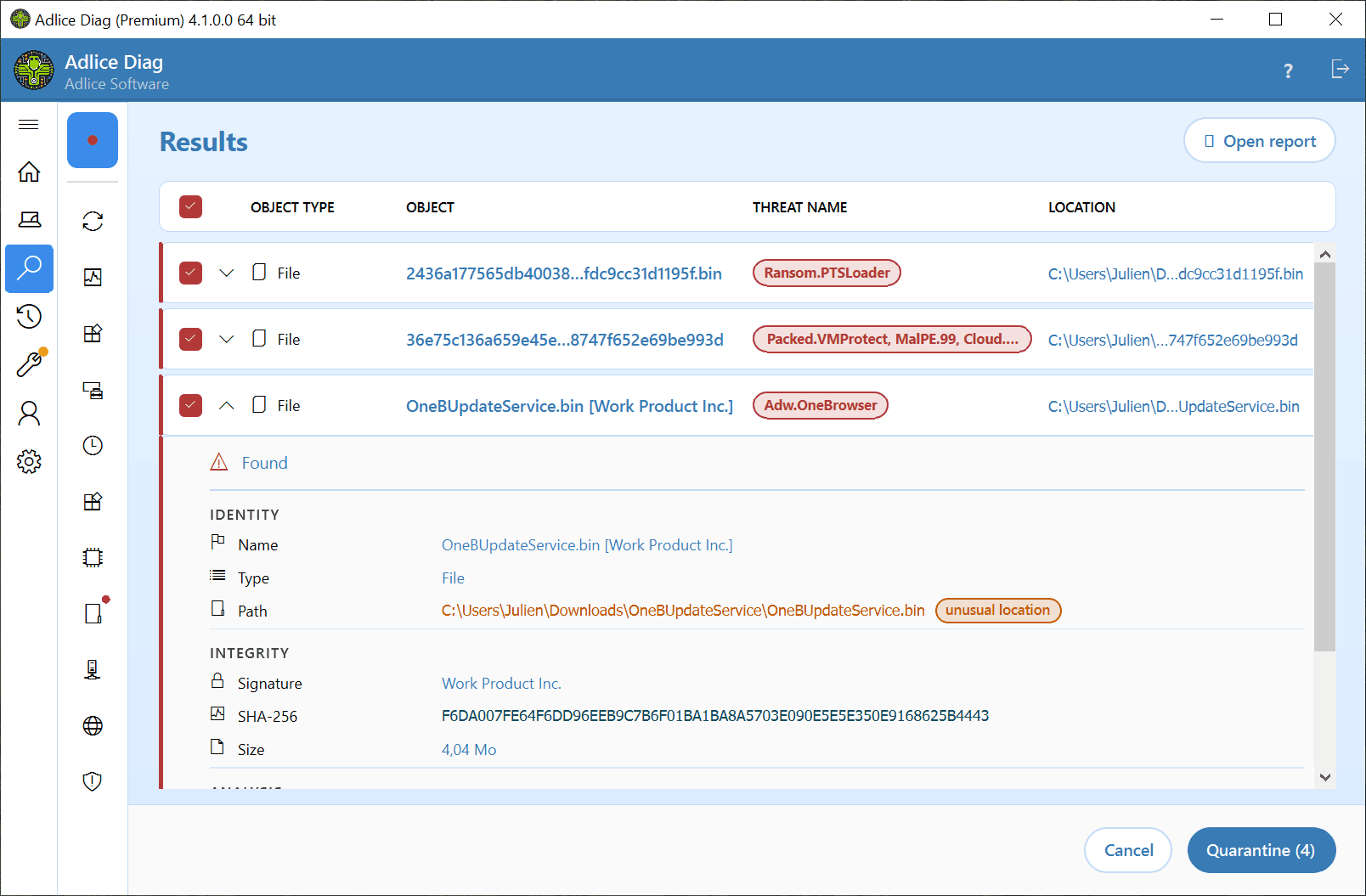
Adlice Diag is a full featured diagnostic tool for your machine, with embedded Anti-malware, Anti-rootkit and system monitoring.
- See everything running.
- Exposes every process, driver and startup item on your PC — malware has nowhere left to hide.
- Cleans threats of all kinds.
- Detects and removes adware, spyware, trojans and viruses, powered by the proven Adlice Protect scan engine.
- Digs out what hides deepest.
- Uncovers rootkits that tamper with Windows internals, catching threats ordinary antivirus scans miss.
Cloud Upload & Help
Upload a scan report to the cloud in one click, then share a link with anyone who can help.
- One-click upload.
- Send a full scan report to our cloud storage straight from Diag, with nothing to configure.
- Share a link.
- Post it on a forum, send it to a technician, or pass it to anyone willing to take a look — no attachments, no account needed to read it.
- Readable by anyone.
- The report is laid out to be understood at a glance, so helpers and technicians alike can spot what matters.
And more
More ways it protects you
Anti-malware
Adlice Diag anti malware comes up with an embedded full-layered Anti-malware. The scan engine will provide you with an initial classification, so it's much easier to find nasty and suspicious items.
The scan engine is shared with Adlice Protect, one of the best malware remover, the guarantee of performance and efficiency!
Tools
Adlice Diag's new Tools section offers powerful features like auto start entries scanning and a disk space finder to boost your system's performance and free up valuable space.
Optimize your PC effortlessly with just a few clicks!
See it in action
What users say
Trusted by people who clean real machines
Finds what others don't
“I have been having slowness troubles with my computer, and tried many Anti-malware. None found the problem. Some people on the forums where recommending Adlice Diag, because it's fast and easy to use. The scan took around 10 mins to complete, and it found multiple items. I decided to look around and found 2 more items that were not classified as malware (and that the other vendors missed). After removing everything, and restarting my machine, the problem was gone! I do highly recommend.”
“I have been using this software from early days when it was only free; it has been a very effective program for repairing computers with virus issues. This program has saved me countless hours of repairs when fixing infected computers. When the pay version first came out and they offered the Technician lifetime license, I immediately jumped at the offer and have never been disappointed since. I can't overemphasize how important this program has become for me in my computer repair business.”
“There are so many things that I like about this. I really enjoyed its thoroughness; its speed and detection rates were pretty good. I am utterly astonished at what an app like this can accomplish in such a lite version. The only thing that I would like to see included would be greater depth of settings for the user. Adlice has done it again in taking it to the big boys. Well done dev team!”
“It's a good product, but I wish it could scan comprehensively like RogueKiller.”
“When you know how this tool works - it's priceless.”
“The new UI is good-looking.”
Get it now
Download Adlice Diag
Latest version · v4.1.1
- OS:
- From Windows 7 SP1 to Windows 11
- Arch:
- 32-bit, 64-bit & ARM64
By downloading, you accept the EULA.