Signatures Update
Signatures are a malware definitions collection.
It’s stored inside the software, and used to perform Anti-malware analysis.
Prior to version 13.1, signatures are updated when doing a Software update.
Starting with version 13.1, RogueKiller is able to self update signatures from our cloud.
For users running the software without network, they need to update the signatures manually:
-
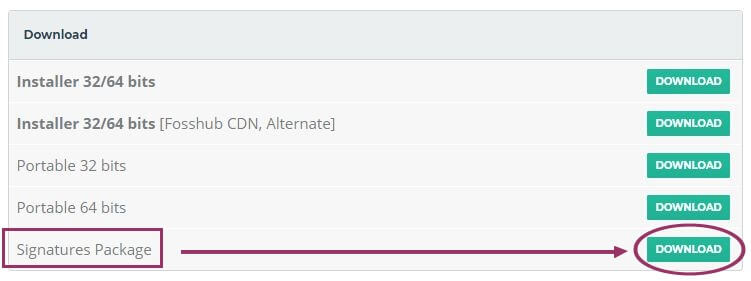
Download the package (Signatures) from download page on the desktop
-
Do NOT try to open or extract this signatures file, it’s not needed.
-
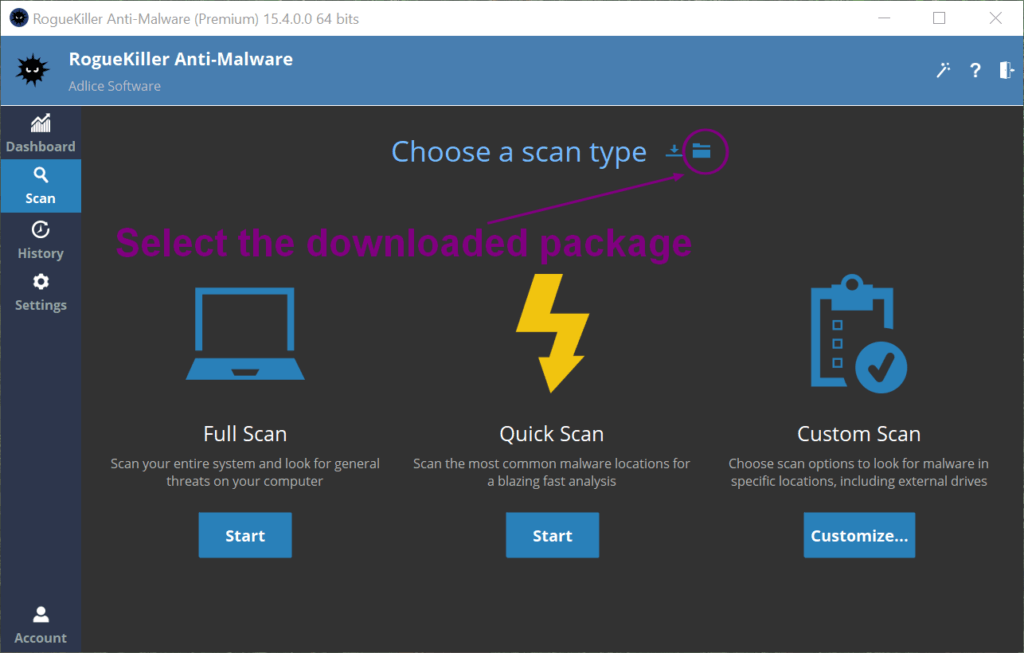
At the scan choice screen, click “Import signatures” button
-
Choose the file you’ve just downloaded, and validate
-
Latest signatures should be now imported and ready to use for next scan