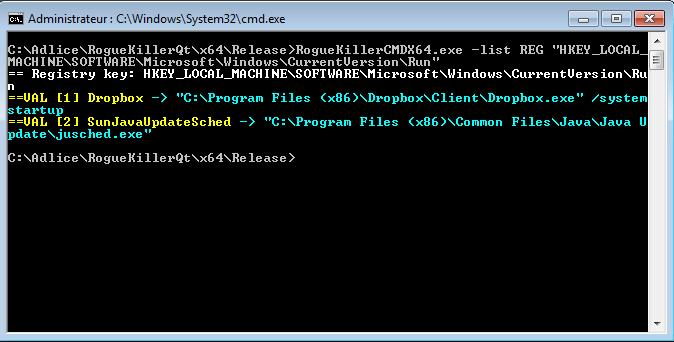
Listar los elementos de una clave del Registro (valores y subclaves)
RogueKillerCMD.exe -list REG "{root}\{some_key}\{subkey}"
Exemple:
RogueKillerCMD.exe -list REG "HKEY_LOCAL_MACHINE\Software\Microsoft\Windows\CurrentVersion\Run"
Eliminar una clave del Registro (recursivo)
RogueKillerCMD.exe -kill REG "{root}\{some_key}\{subkey}"
Exemple:
RogueKillerCMD.exe -kill REG "HKEY_LOCAL_MACHINE\Software\Microsoft\Windows\CurrentVersion\Run\Malware"
Eliminar una clave del Registro por índice (basado en 1, recursivo)
RogueKillerCMD.exe -kill REG "{root}\{some_key}\{subkey}:subkey:{1-based index}"
Exemple:
RogueKillerCMD.exe -kill REG "HKEY_LOCAL_MACHINE\Software\Microsoft\Windows\CurrentVersion\Run:subkey:1"
Eliminar un valor del Registro
RogueKillerCMD.exe -kill REG "{root}\{some_key}\{subkey}:{value}"
Exemple:
RogueKillerCMD.exe -kill REG "HKEY_LOCAL_MACHINE\Software\Microsoft\Windows\CurrentVersion\Run:the_malware"
Eliminar un valor del Registro por índice (basado en 1)
RogueKillerCMD.exe -kill REG "{root}\{some_key}\{subkey}:value:{1-based index}"
Exemple:
RogueKillerCMD.exe -kill REG "HKEY_LOCAL_MACHINE\Software\Microsoft\Windows\CurrentVersion\Run:value:1"
Eliminar el valor predeterminado (nombre vacío) del Registro
RogueKillerCMD.exe -kill REG "{root}\{some_key}\{subkey}:(default)"
Exemple:
RogueKillerCMD.exe -kill REG "HKEY_LOCAL_MACHINE\Software\Microsoft\Windows\CurrentVersion\Run:(default)"