
User permissions
As an administrator, you will find users permissions in “Permissions” page, and for a given user, in the “Users” page. It allows to define roles for each user, and to setup default role for new users.
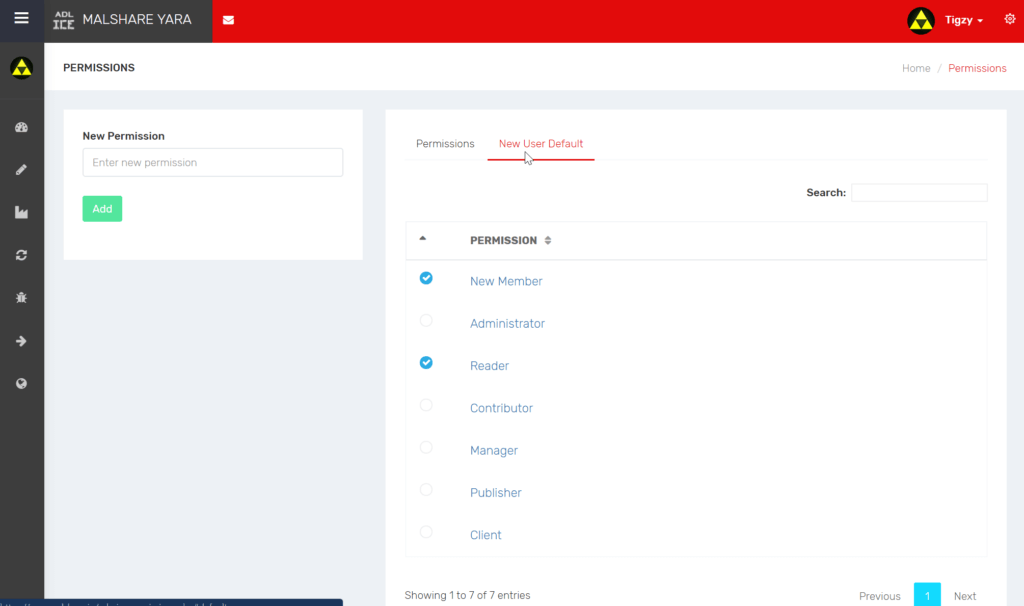
Here’s the list of permissions with their capabilities:
-
New member: default user, no rights at all
-
Administrator: All rights
-
Reader: Can only read (rules, files, etc…)
-
Contributor: Reader + can create and modify/delete own rules
-
Manager: Contributor + can validate submitted rules
-
Publisher: Contributor + can trigger new publication and push to production
-
Client: Can only use certain APIs to retrieve current publication and download it.