
Adlice Software
Adlice Diag
Bedrohungen diagnostizieren und beseitigen.
Adware, Rootkits, Spyware, Viren — Adlice Diag findet und entfernt sie alle. Für Rettungseinsätze gemacht.
Wählen Sie Ihren Plan
Kostenlos
- Systemdiagnose
- Bedrohungserkennung
- Nur zur privaten Nutzung
- Forum-Support
Premium
- Bedrohungsentfernung
- Cloud-Analyse
- Unternehmensnutzung erlaubt
- E-Mail-Support
Techniker
- Alle Premium-Funktionen
- Portable
- Unbegrenzte Anzahl an Rechnern
- E-Mail-Support
Funktionen
Alles, was Sie brauchen, nichts Überflüssiges
Tiefe Diagnose
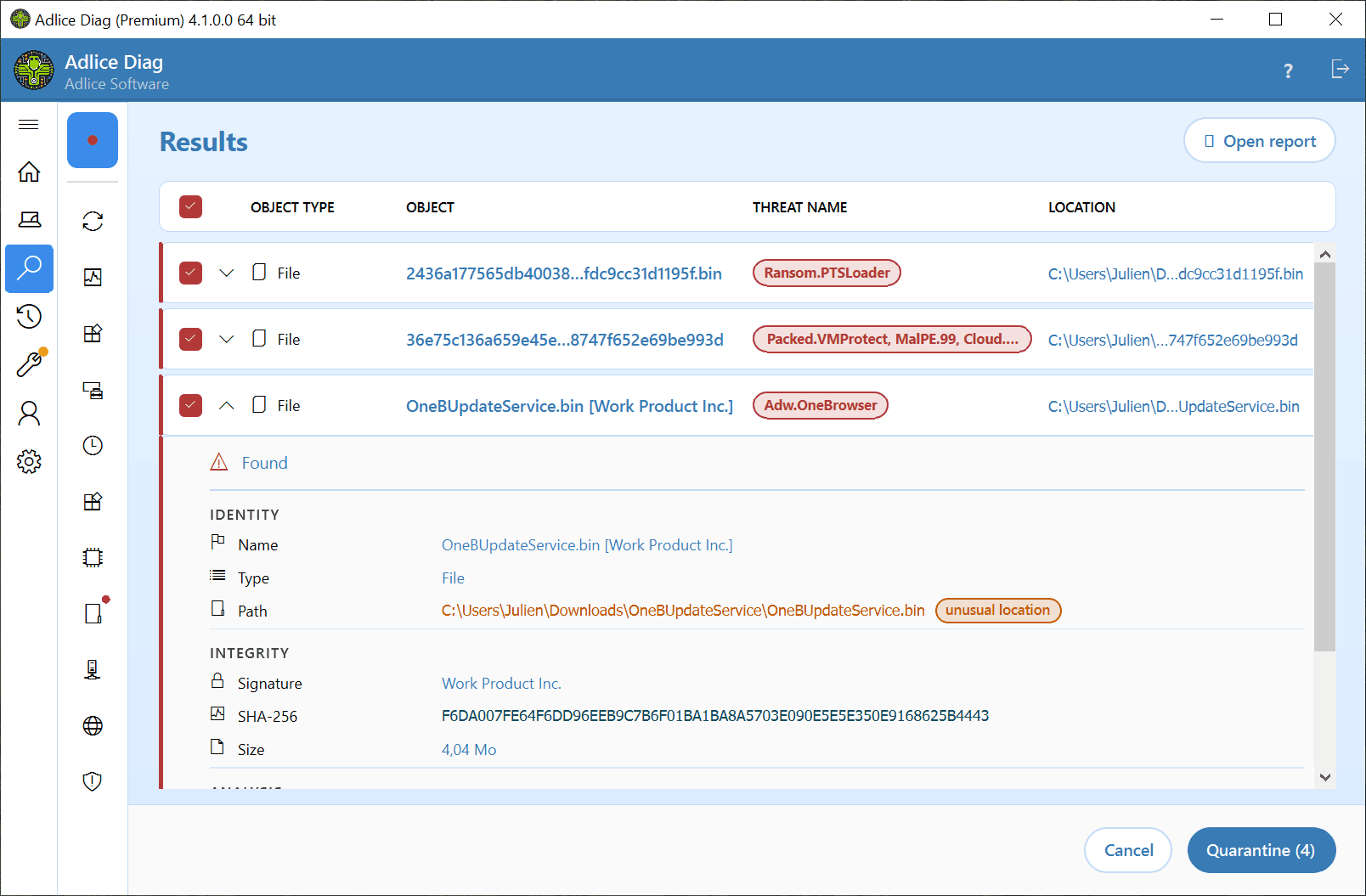
Durchsuchen Sie das System nach Adware, Rootkits, Spyware und Viren und erhalten Sie einen klaren, umsetzbaren Bericht.
- Sehen Sie alles, was läuft.
- Legt jeden Prozess, Treiber und Autostart-Eintrag Ihres PCs offen — Malware hat keinen Platz mehr zum Verstecken.
- Beseitigt Bedrohungen aller Art.
- Erkennt und entfernt Adware, Spyware, Trojaner und Viren, angetrieben von der bewährten Scan-Engine von Adlice Protect.
- Spürt auf, was sich am tiefsten versteckt.
- Deckt Rootkits auf, die in die Windows-Interna eingreifen, und fängt Bedrohungen ab, die gewöhnliche Virenscans übersehen.
Techniker-bereit
Portable und skriptfähig — ideal für IT-Techniker, die Kunden- und Firmenrechner bereinigen.
- Hochladen mit einem Klick.
- Senden Sie einen vollständigen Scan-Bericht direkt aus Diag an unseren Cloud-Speicher, ganz ohne Konfiguration.
- Teilen Sie einen Link.
- Posten Sie ihn in einem Forum, schicken Sie ihn einem Techniker oder geben Sie ihn an jeden weiter, der einen Blick darauf werfen möchte — ohne Anhang und ohne Konto zum Lesen.
- Für jeden lesbar.
- Der Bericht ist so aufgebaut, dass er auf einen Blick verständlich ist, damit Helfer wie Techniker gleichermaßen das Wesentliche erkennen.
Und mehr
Weitere Schutzfunktionen
Bedrohungsentfernung
Entfernen Sie erkannte Bedrohungen sicher, mit Cloud-gestützter Analyse für unbekannte Samples.
Werkzeuge
Der neue Werkzeuge-Bereich von Adlice Diag bietet leistungsstarke Funktionen wie die Analyse der Autostart-Einträge und einen Speicherplatz-Finder, um die Leistung Ihres Systems zu steigern und wertvollen Speicherplatz freizugeben.
Optimieren Sie Ihren PC mühelos mit nur wenigen Klicks!
In Aktion sehen
Nutzerstimmen
Genutzt von Menschen, die echte Rechner säubern
Findet, was andere übersehen
“Ich hatte Probleme mit der Langsamkeit meines Computers und habe viele Anti-Malware-Programme ausprobiert. Keines fand das Problem. In den Foren wurde Adlice Diag empfohlen, weil es schnell und einfach zu bedienen ist. Der Scan dauerte etwa 10 Minuten und fand mehrere Elemente. Ich habe mich weiter umgesehen und 2 weitere Elemente gefunden, die nicht als Malware eingestuft waren (und die die anderen Anbieter übersehen hatten). Nach dem Entfernen und einem Neustart war das Problem verschwunden! Sehr empfehlenswert.”
“Ich nutze diese Software seit den Anfangstagen, als es sie nur kostenlos gab; sie ist ein sehr wirksames Programm, um Rechner mit Virenproblemen instand zu setzen. Dieses Programm hat mir unzählige Stunden Reparaturarbeit an infizierten Rechnern erspart. Als die kostenpflichtige Version erschien und die Techniker-Lifetime-Lizenz angeboten wurde, habe ich sofort zugegriffen und es seitdem nie bereut. Ich kann gar nicht genug betonen, wie wichtig dieses Programm für meinen Computer-Reparaturbetrieb geworden ist.”
“Es gibt so vieles, was mir daran gefällt. Die Gründlichkeit hat mir wirklich gefallen; Geschwindigkeit und Erkennungsraten waren richtig gut. Ich bin schlicht verblüfft, was eine Anwendung wie diese in einer so schlanken Version leisten kann. Das Einzige, was ich mir zusätzlich wünschen würde, wären tiefer gehende Einstellungen für den Nutzer. Adlice ist es wieder gelungen, zu den Großen aufzuschließen. Gut gemacht, Entwicklerteam!”
“Es ist ein gutes Produkt, aber ich wünschte, es könnte so umfassend scannen wie RogueKiller.”
“Wenn man weiß, wie dieses Werkzeug funktioniert, ist es unbezahlbar.”
“Die neue Oberfläche sieht gut aus.”
Jetzt holen
Adlice Diag herunterladen
Neueste Version · v4.1.1
- OS:
- Von Windows 7 SP1 bis Windows 11
- Arch.:
- 32-Bit, 64-Bit & ARM64
Mit dem Download akzeptieren Sie die EULA.
Installationsprogramme
Portable Versionen
Extras